
Auction players for your table tennis team league
Team table tennis is played in ties of several rubbers. Register players by style and grip, build teams in one auction night, and let the table follow every tie.
What a table tennis auction needs
Attackers, defenders, all-round
Players register by playing style, so an owner can balance a team that attacks with one that can defend.
Shakehand or penhold
The form asks each player's grip, and it shows on their auction card.
Scored by the tie
Enter rubbers and games won. A won tie is 2 points and a drawn one 1, and teams level on points are separated by rubber difference, then game difference.
The registration form speaks your sport
Players choose from these when they register, and it shows on their card in the auction.
- Roles
- Attacker
- Defender
- All-round
- Grip
- Shakehand
- Penhold
The table keeps itself
Each tie earns 2 for a win, 1 for a tie or no result. Teams level on points are separated by rubber difference, then game difference.
You enter rubbers and games after each tie; the standings, the public season page and every squad's record update from that one entry.
Auction night, on every screen
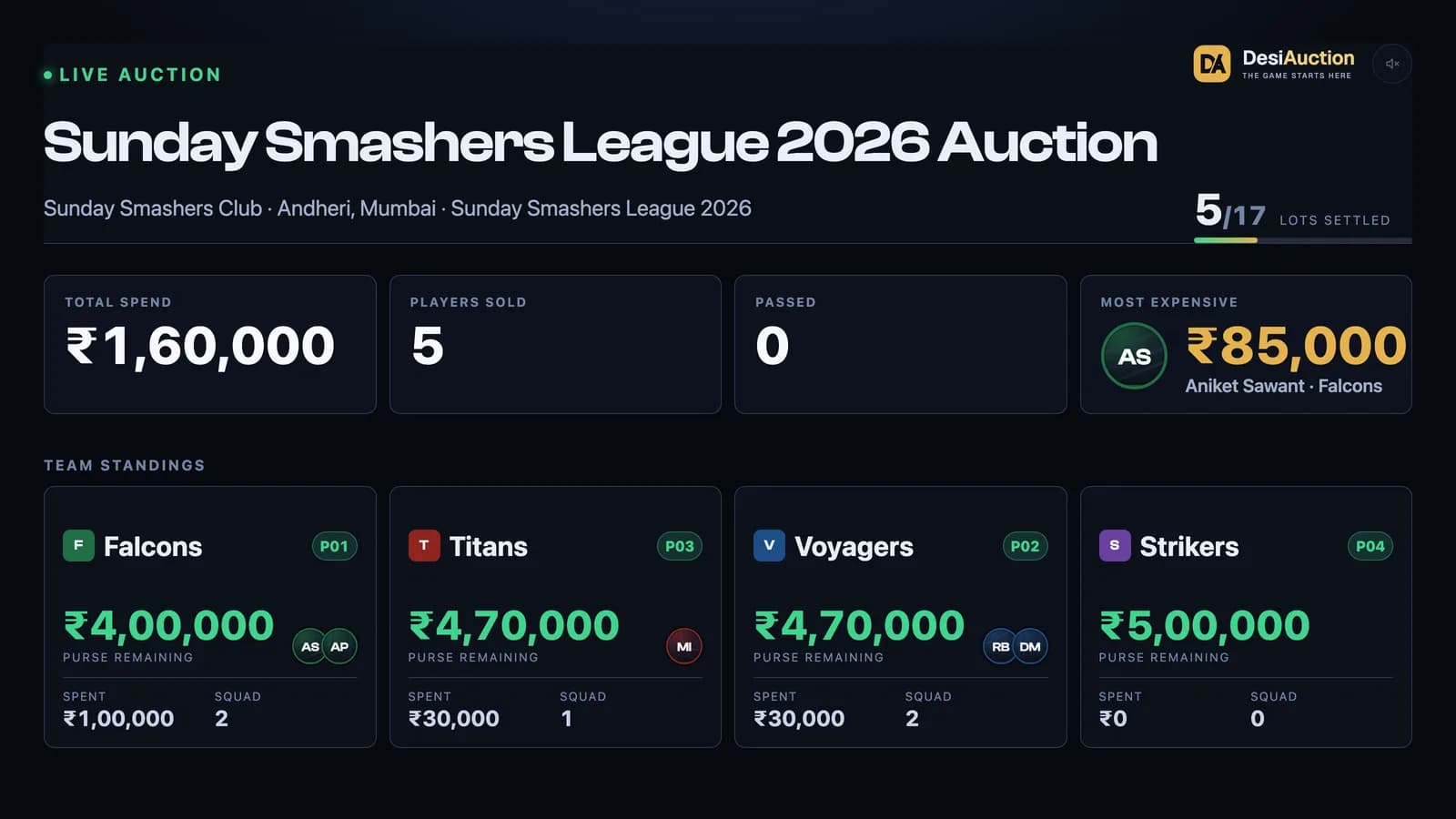
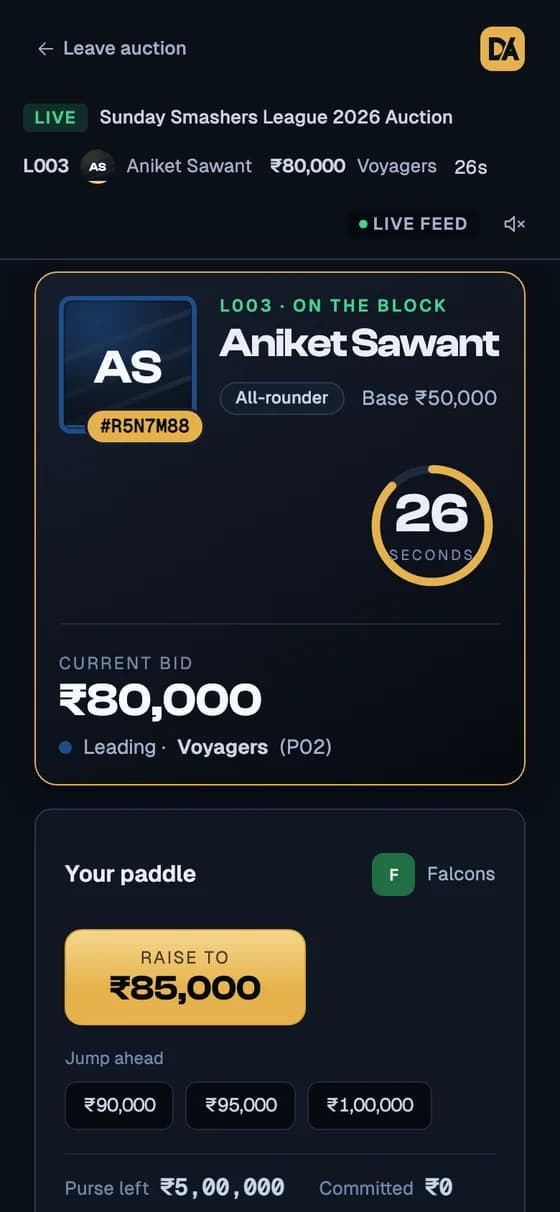
Real screens from a practice auction. The same bid reaches the board and every phone at once, and anyone with the link can watch without signing in.
Questions organizers ask
Does it work for team-format table tennis?
Yes. Each fixture is a tie between two teams, scored in rubbers and games.
How is the table sorted?
Won ties are worth 2 points and drawn ties 1. Teams level on points are ranked by rubber difference first, then by game difference.
Do players need an app?
No. Everything runs in the browser, on phones and on the big screen.
Step-by-step guides: setting up a season, importing a Google Form, preparing the auction and running the room.