
Run a hockey player auction for your league
Register players by position, auction them on one night with every owner bidding from their own phone, and run the season with a table that follows every result.
What a hockey auction needs
Goalkeepers to forwards
Players register as goalkeeper, defender, midfielder or forward, and the position is on their auction card, so goalkeepers are bought as goalkeepers, not as an afterthought at the end of the night.
The same bid on every screen
Bids are checked by the server and reach the auction board and every owner's phone at once, so there is no argument about who bid first.
Goal difference, done for you
A win is 3 points and a draw 1. Teams level on points are separated by goal difference, then goals scored.
The registration form speaks your sport
Players choose from these when they register, and it shows on their card in the auction.
- Roles
- Goalkeeper
- Defender
- Midfielder
- Forward
The table keeps itself
Each match earns 3 for a win, 1 for a tie or no result. Teams level on points are separated by goal difference, then goals scored.
You enter goals after each match; the standings, the public season page and every squad's record update from that one entry.
Auction night, on every screen
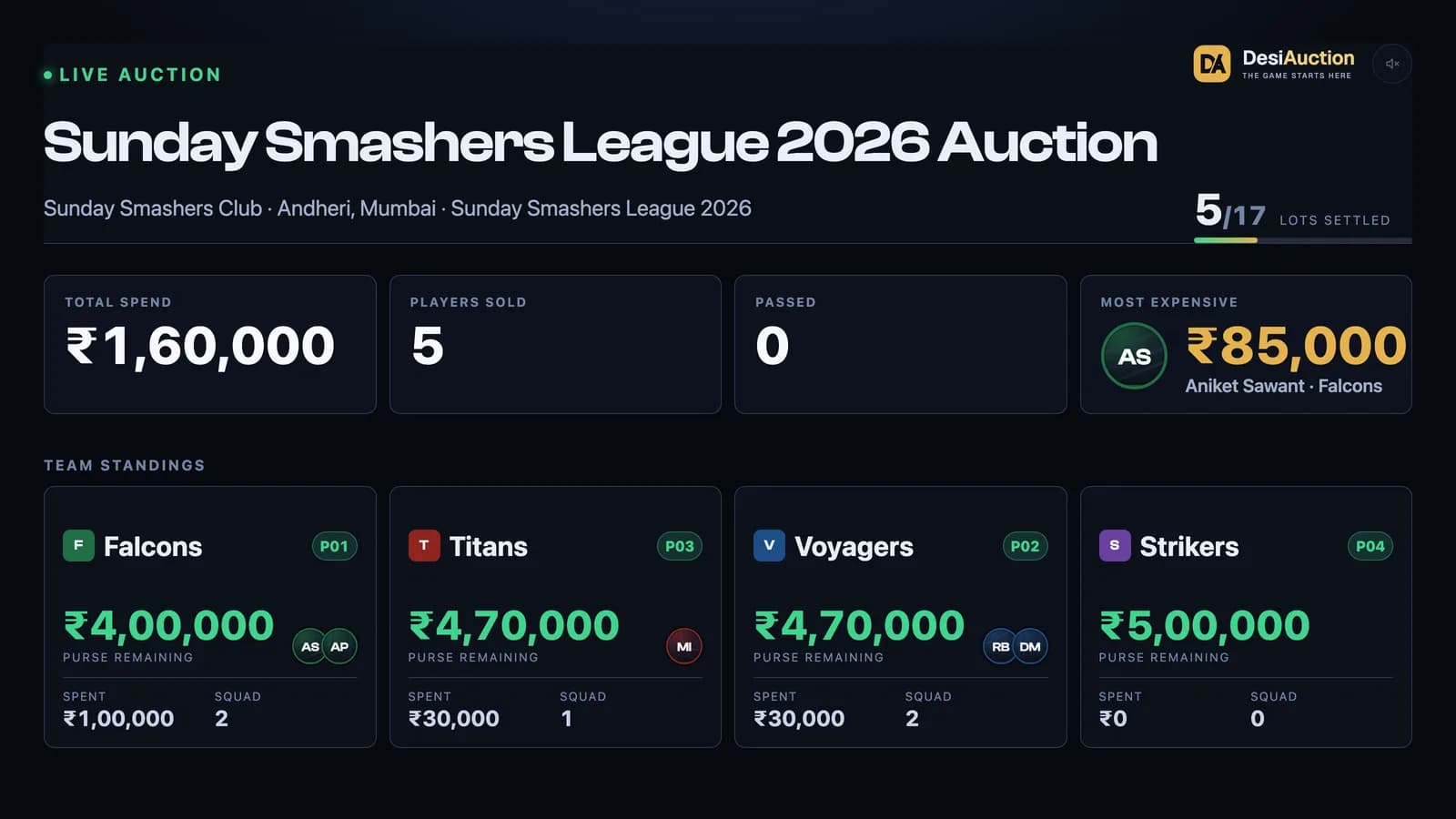
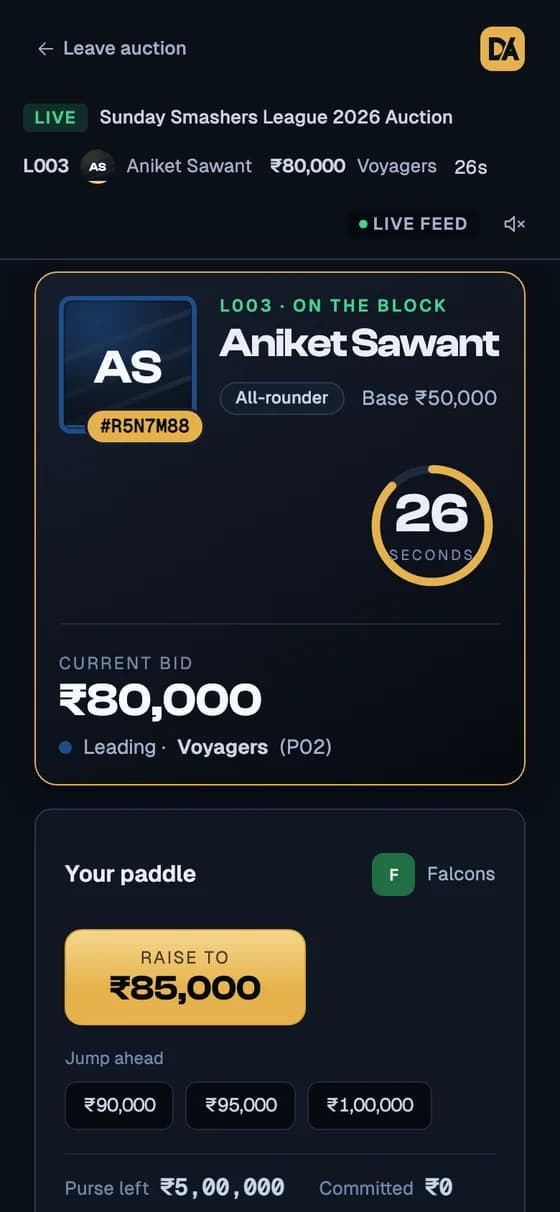
Real screens from a practice auction. The same bid reaches the board and every phone at once, and anyone with the link can watch without signing in.
Questions organizers ask
How is the hockey table sorted?
Points come first — 3 for a win, 1 for a draw. Sides level on points are split by goal difference, and then by goals scored.
Can captains skip the auction?
Yes. Mark a player as captain on the registration desk and they are placed in their team before the auction begins.
Can spectators watch without an account?
Yes. The auction has a public page anyone with the link can watch live, without signing in.
Step-by-step guides: setting up a season, importing a Google Form, preparing the auction and running the room.